
Introduction
From the moment we wake up until we go to sleep, our Android phones play a part in almost everything we do. Whether it's jotting down a grocery list, sending office documents, editing photos, or transferring money, having the right apps makes life much smoother. With millions of apps on the Play Store, though, it's hard to tell which ones are genuinely useful and which ones just waste your time. Here is a review of 10 free Android apps that simplify everyday tasks—and are especially handy for users in Bangladesh.
1. Google Keep — Best for Quick Notes
Whenever a sudden idea strikes or you need to make a shopping list, Google Keep is one of the fastest tools around. You can start typing the moment you open it, attach images to notes, and set location or time-based reminders. It also lets you record voice memos that automatically convert into text. Since everything syncs to your Google account, your notes stay safe even if you switch phones.
2. Google Drive — Safe Cloud Storage for Files
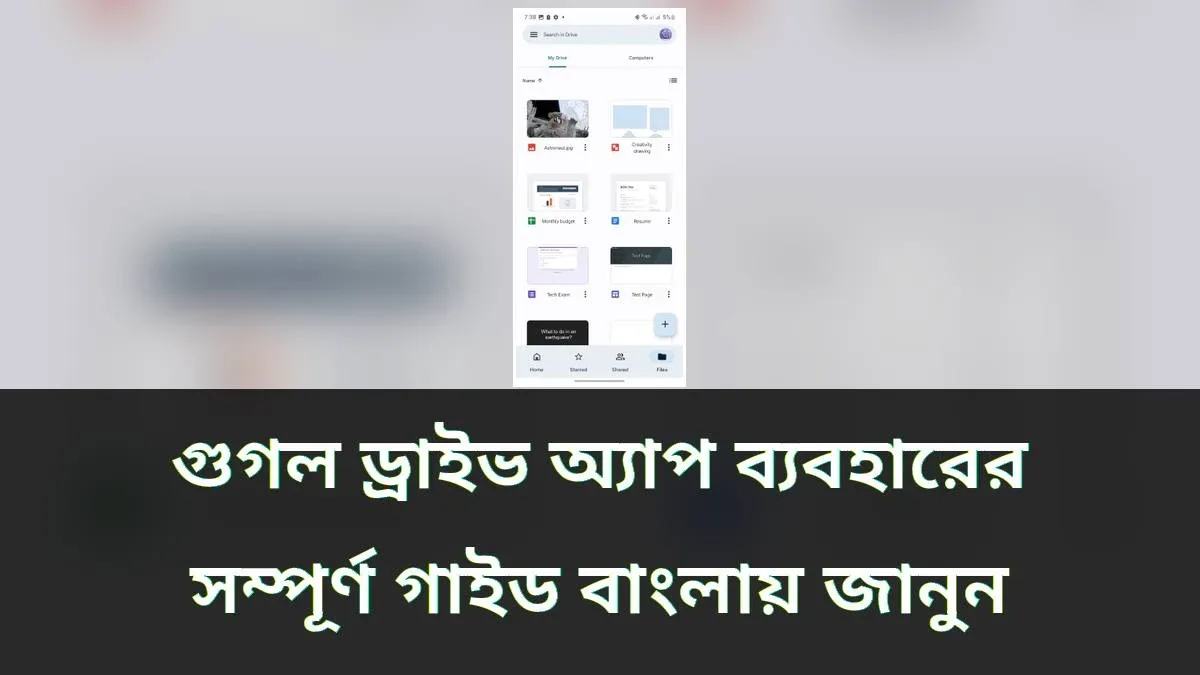
If your phone storage is filling up or you worry about losing important files, Google Drive is indispensable. It gives you 15 GB of free cloud storage for photos, videos, PDFs, and documents. You can access your files from any device with an internet connection and share them easily with others. It also supports offline access, letting you view previously downloaded files even without internet.
3. Canva — Easy Graphic Design on Mobile
From social media posts and posters to resumes and business flyers, Canva lets you design everything right from your phone. It comes with thousands of ready-made templates where you simply swap in your own text and images to get a polished result. It even supports Bengali fonts, making it easy to create Bengali graphics. You don't need any design background—just follow the templates step by step.
4. WhatsApp — The Most Popular Messaging App
In Bangladesh, WhatsApp is the go-to app for staying in touch with family and friends. You can send text messages, make voice and video calls, and share photos for free. Group chats make it easy to keep the whole family connected, while WhatsApp Business helps small businesses communicate with customers. It also supports sending documents, making it useful for quick office file sharing.
5. Google Maps — A Reliable Guide on Unfamiliar Roads
Navigating an unfamiliar neighborhood is tough without Google Maps. It provides turn-by-turn directions, live traffic updates, and estimated arrival times. You can check routes for walking, taking a bus, or riding, which makes planning daily commutes much easier. By downloading offline maps in advance, you can even navigate without mobile data.
6. bKash — Mobile Money Transfers and Bill Payments
bKash is the most widely used mobile financial service in Bangladesh. From sending money and recharging mobile credit to paying electricity bills and shopping online, everything happens inside one app. Your account is protected by a PIN, and instant transaction notifications make tracking expenses effortless. You can also pay at shops by scanning QR codes, reducing the hassle of carrying cash.
7. Google Translate — Breaking Language Barriers
If you struggle with English text or need to communicate with someone who speaks another language, Google Translate is a lifesaver. You can translate smoothly between Bengali and English, or point your camera at signboards and book pages for instant on-screen translations. It also supports voice translation for real-time conversations, and you can download language packs for offline use.
8. Gboard — Effortless Bengali and English Typing
If you want a smooth Bengali typing experience on your phone, Google's Gboard is an excellent choice. It supports phonetic typing, handwriting input, and voice typing. Even if you type Bengali words using English letters, it converts them into Bengali script automatically, which is great for beginners. With built-in emojis, stickers, and smart predictions, it adapts to your style and speeds up typing.
9. Google Photos — Organize and Back Up Your Pictures
When thousands of photos pile up on your phone, Google Photos keeps everything manageable. Your pictures are backed up automatically, so you won't lose memories if your phone is lost or damaged. You can search for photos by typing the name of a person, place, or object. It also includes basic editing tools for adjusting lighting and cropping, plus albums to keep old memories neatly organized.
10. Duolingo — Learn English Like a Game
If you want to improve your English in just a few minutes a day, Duolingo is a fun, effective option. Its lessons feel like a game, awarding points for correct answers to keep you motivated. Spending just 10 to 15 minutes daily steadily builds your vocabulary and grammar skills. Built-in reminders help you turn practice into a daily habit, making it a great starting point for language learners.
Final Thoughts
Every app on this list is free to use and genuinely helpful in daily life. You don't need to install all ten at once—start with one or two that fit your immediate needs, and add others as you go. The real goal of a good app is to save time and make your routine easier. Just remember to download official versions from the Google Play Store and review app permissions to keep your phone secure.


Discussion & Comments (0)
No comments on this post yet. Be the first to comment!